


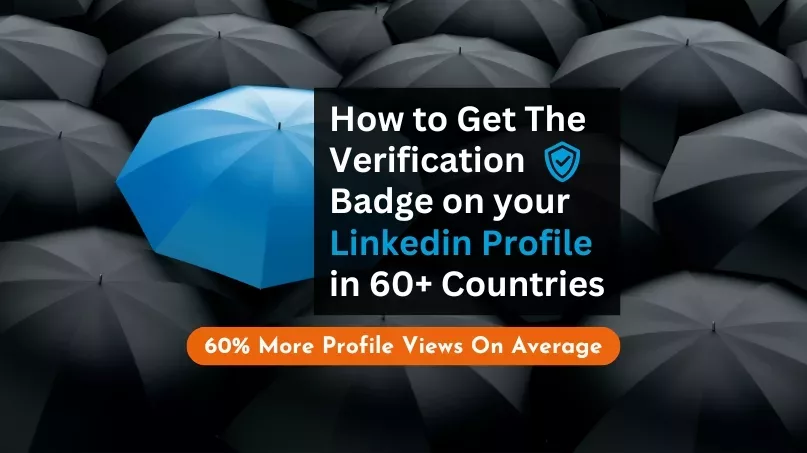
LinkedIn® verification is no longer a single passport-based process. Members may be able to verify their identity, workplace or educational institution, depending on their location, employer or institution and the verification methods available to them.
- What Does the LinkedIn® Verification Badge Mean?
- 1. Identity Verification
- 2. Workplace Verification
- 3. Educational Institution Verification
- How to Check Which Verification Options You Have
- Does LinkedIn® Verification Cost Money?
- Is Getting Verified Worth Doing?
- Verification Is Broader Than the Badge on a Personal Profile
When a verification is active, LinkedIn® displays a verification badge next to your name. Other logged-in members can select the badge to see which information has been verified. Verification is optional and available at no additional cost.
What Does the LinkedIn® Verification Badge Mean?
The badge is an authenticity signal. It means LinkedIn® has confirmed one or more specific pieces of information associated with your profile. It does not mean LinkedIn® endorses you, your experience, your opinions or everything stated on your profile.
LinkedIn® currently supports three main types of profile verification: identity, workplace and educational institution.
1. Identity Verification
Identity verification confirms your identity using a government-issued ID through one of LinkedIn®’s verification partners. The provider and documents you can use depend on your geography.
- United States, Canada and Mexico: LinkedIn® currently uses CLEAR for eligible members.
- India: eligible members can use DigiLocker credentials.
- Many other countries: LinkedIn® uses Persona. Eligibility and accepted government IDs vary by country.
For Persona verification, LinkedIn® says a supported NFC-compatible government ID is required. The process is completed on a compatible mobile device and may include an ID scan and selfie. Your name must meet LinkedIn®’s matching requirements, although LinkedIn® now provides guidance for some cases where the name on your ID and profile differ.
2. Workplace Verification
Workplace verification confirms your association with the company listed as your current workplace on LinkedIn®. Depending on your employer, LinkedIn® may offer verification through a work email address, Microsoft Entra Verified ID, a company-provided LinkedIn Learning license or an eligible LinkedIn Recruiter license.
Not every employer supports every method. If the option is unavailable on your profile, that does not necessarily indicate a problem with your account; your organization may simply not be eligible or enabled for that verification route.
3. Educational Institution Verification
LinkedIn® can also verify an association with a supported educational institution. Current availability includes eligible institutions that provide supported LinkedIn Learning licenses. Availability is limited and depends on the institution.

How to Check Which Verification Options You Have
Rather than following an old fixed sequence of screenshots, start from your own LinkedIn® profile. Open Resources (or the Resources icon), select About this profile or About this member, and look for Verify now. LinkedIn® will show the verification methods currently available to your account.
The exact interface, eligibility and verification provider can change. Follow the current instructions LinkedIn® presents rather than relying on an older screenshot sequence.
Does LinkedIn® Verification Cost Money?
No additional payment is required to add an available verification to your profile. Some workplace and education verification routes depend on services supplied by your employer or institution, but LinkedIn® does not charge you simply to display an eligible verification.
Is Getting Verified Worth Doing?
If LinkedIn® offers you a suitable verification method, it is a useful authenticity signal. LinkedIn® currently reports that verified members see more profile views and engagement on average. Treat those figures as LinkedIn®’s platform-wide observations, not as a promise that verification will increase the performance of an individual profile.
For leaders and professionals, the more important point is simpler: verification gives someone viewing your profile another piece of evidence that specific information about you has been confirmed.
Verification Is Broader Than the Badge on a Personal Profile
LinkedIn® is increasingly using verification elsewhere on the platform. Verification signals may appear on job posts, and eligible LinkedIn® Company Pages can now request Page verification. These are separate processes from verifying an individual profile.
Because LinkedIn® continues to expand its verification system, check the current options shown on your account whenever you are ready to verify.